
Senior Network Engineer focused on networking, security, and automation.
[My journey to CCIE Automation #4] Automating network discovery and reports with Python and Ansible
In blog #4 of the CCIE Automation journey, network discovery and reporting are automated using Python and Ansible. By combining subnet scanning, fact gathering, and template-based reporting, a complete workflow is built that produces a clear HTML report of the network.
![<span id="hs_cos_wrapper_name" class="hs_cos_wrapper hs_cos_wrapper_meta_field hs_cos_wrapper_type_text" style="" data-hs-cos-general-type="meta_field" data-hs-cos-type="text" >[My journey to CCIE Automation #4] Automating network discovery and reports with Python and Ansible</span>](https://sicra.no/hs-fs/hubfs/two_guys_working_on_a_computer.jpg?width=1024&height=576&name=two_guys_working_on_a_computer.jpg)
(Denne artikkelen var tidligere en del av Bluetree.no. Siden Sicra og Bluetree har slått seg sammen, er nå innhold fra Bluetree overført til Sicra.)
[My journey to CCIE Automation #4] Automating network discovery and reports with Python and Ansible is part of a series following my CCIE Automation journey. In the previous post, I worked with NETCONF and an Orchestration API. In this post, I focus on automating network discovery and reporting with Python and Ansible.
Blog #4
After NETCONF in blog #3, I wanted to pick something network engineers often do manually — discovering devices, collecting facts, and documenting neighbors — and automate it with Python and Ansible.
The project in this post is network discovery and reports. A small workflow that scans a subnet, discovers devices, runs commands, and generates a nice HTML report.
What I built
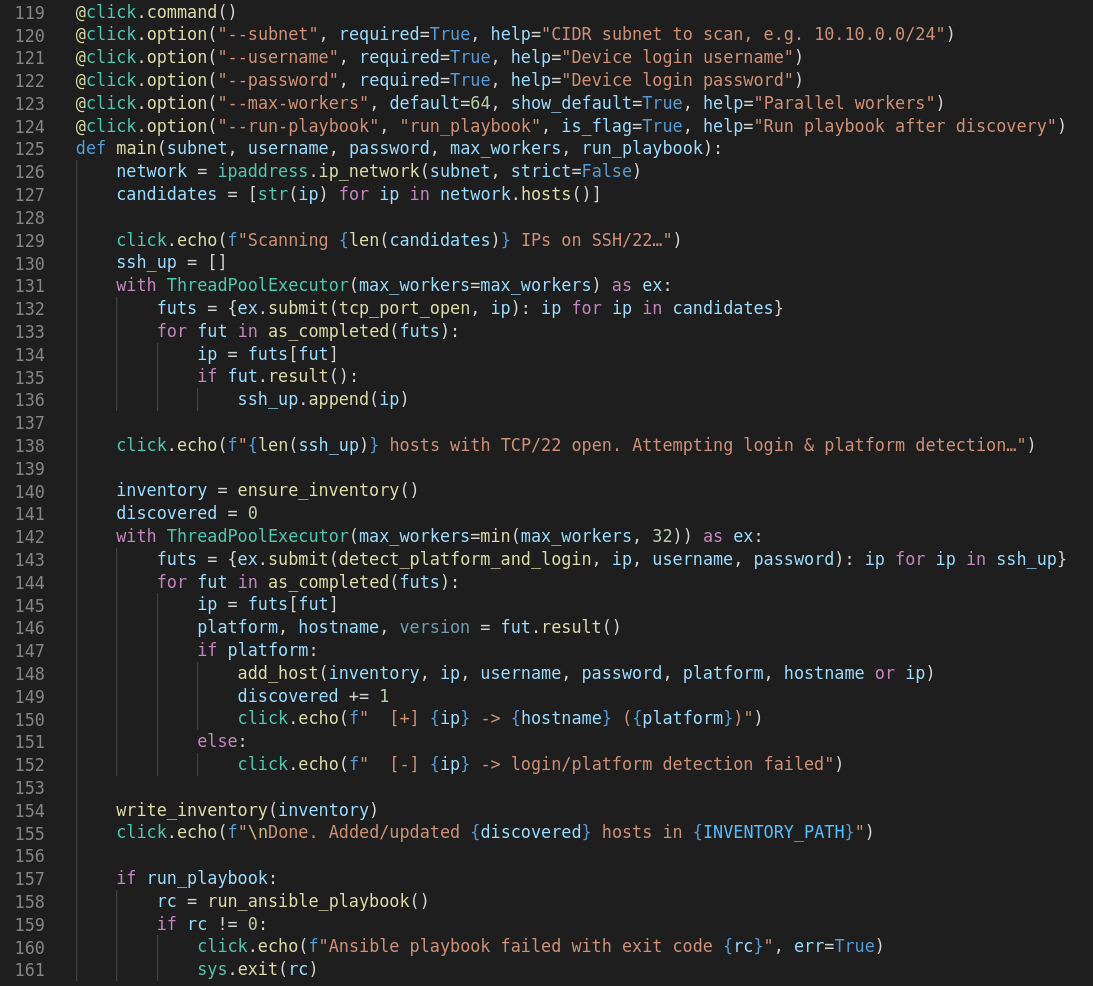
1. Python Discovery script
A Python CLICK app (network_discovery.py) that:
- Scans a subnet for devices with SSH open.
- Logs in with username/password using Netmiko.
- Detects whether the device runs IOS or NX-OS.
- Builds an Ansible inventory file with the correct ansible_network_os.
- Executes an Ansible playbook that will gather facts about the discovered hosts:
- Hostname
- Hardware model
- Software version
- CDP/LLDP - Then generate a HTML report listing the discovered hosts and the facts gathered.
Sample from script (see repo for full details:
2. Ansible playbook
The playbook (gather_device_facts.yml) runs against the discovered hosts and gathers system + neighbor info and generates a HTML report.
Sample of gathering data from the discovered hosts:
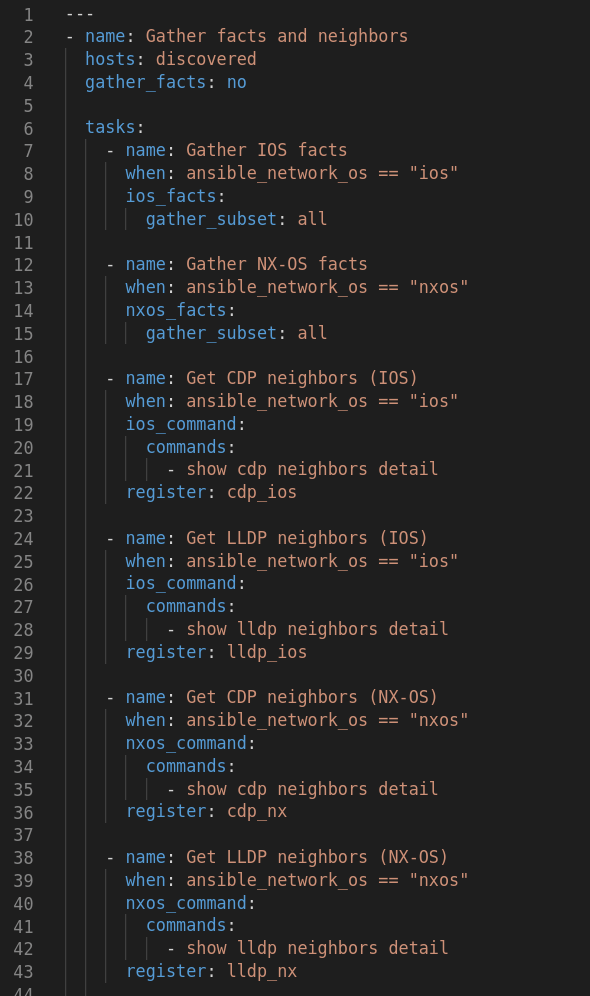
Right now it only supports Cisco IOS and Nexus, but it can easily be extended to other platforms.
3. HTML Raport
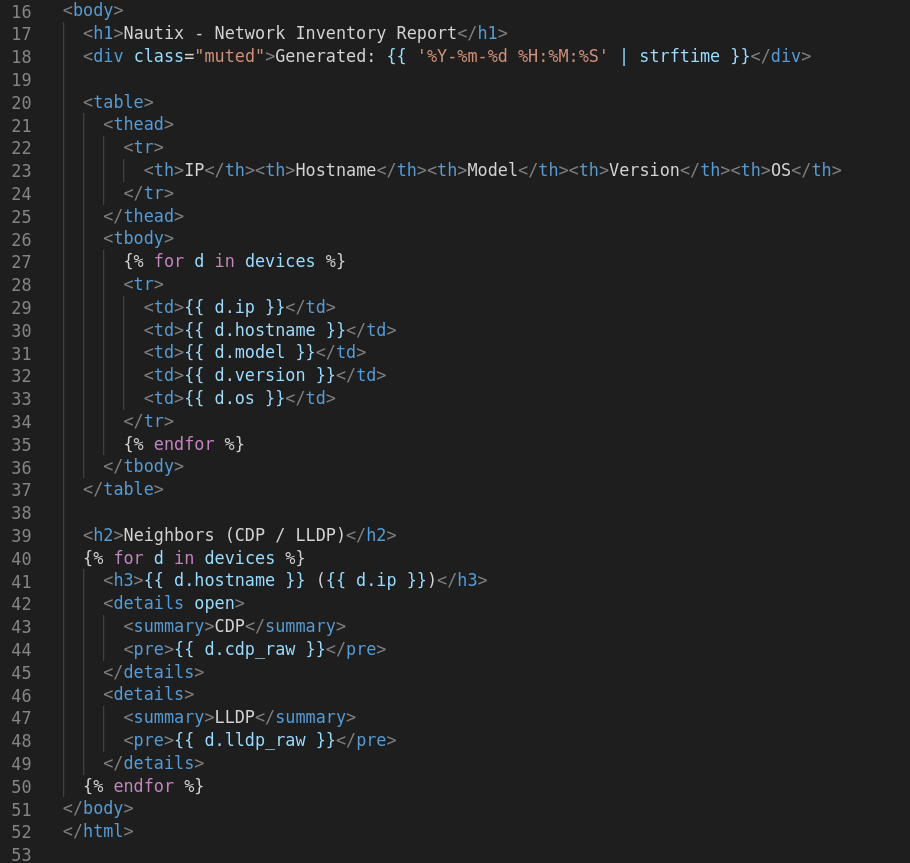
Instead of raw CLI output, I render a single HTML report with a Jinja2 template. Every device is listed in a table, with expandable CDP/LLDP sections.
Sample from jinja2 template:
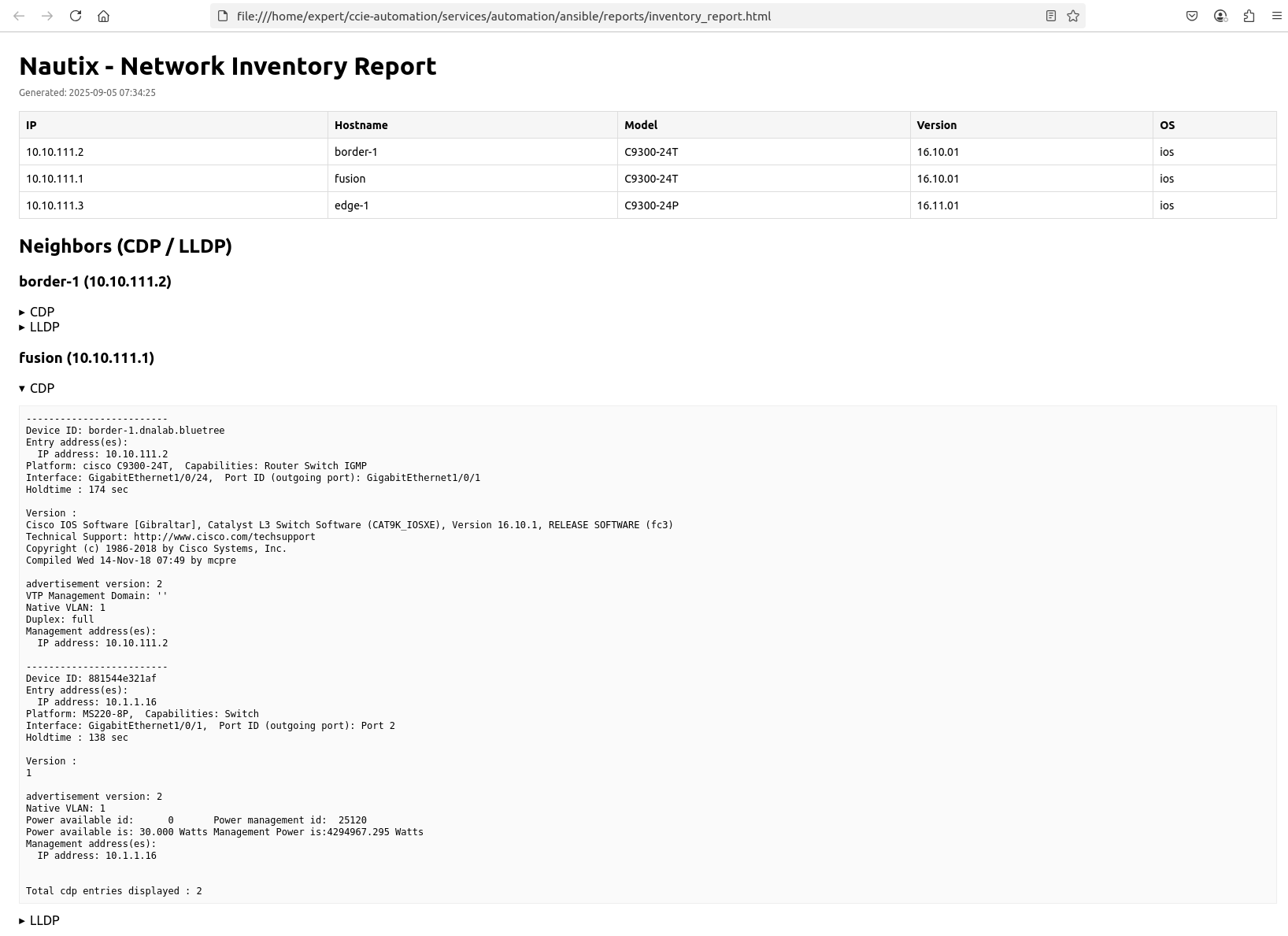
4. The result – View the HTML report
You get a list of all hosts discovered with a column for:
- IP
- Hostname
- Model
- Version
- OS
At the end you get a list of all CDP and/or LLDP neighbors for each device discovered.
How to run
Se README i GitLab-repositoriet.
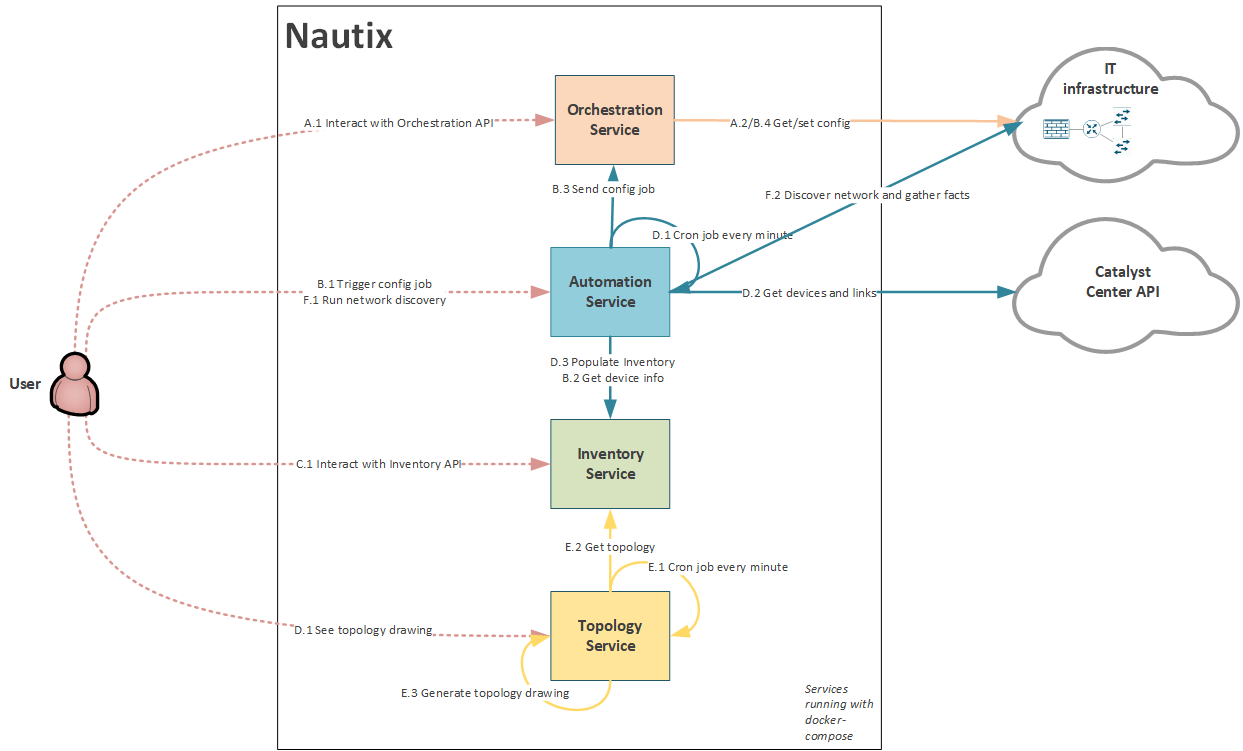
Service Interactions update
I've updated the new use case to the Nautix diagram.
What's next
In blog #5 I will focus on working with pyATS:
Blueprint item 3.3 Modify and troubleshoot an automated test by using pyATS to meet requirements
3.3.a Create a testbed file for connecting to Cisco IOS, IOS XE, or NX-OS devices
3.3.b Gather current configuration and operational state from devices using the Genie parsers and models included with pyATS
3.3.c Develop and execute test jobs and scripts using AEtest to verify network health
Useful links
Blog series
-
[My journey to CCIE Automation #1] Intro + building a Python CLI app
-
[My journey to CCIE Automation #2] Inventory REST API and microservices architecture
-
[My journey to CCIE Automation #3] Orchestration API and NETCONF
-
[My journey to CCIE Automation #7] Exploring Model-Driven Telemetry for real-time network insights
-
[My journey to CCIE Automation #8] Exploring ThousandEyes and automating Enterprise Agent deployment
-
[My journey to CCIE Automation #9] Applying OWASP Secure Coding Practices
-
[My journey to CCIE Automation #10] From Docker Compose to Kubernetes
Explore more

Blog
How to choose the right SOC services in 2026
Seven questions to ask before choosing a SOC service and managed SOC provider.

Blog
Sicra SOC strengthens your organization’s cybersecurity
Sicra Managed SOC monitors your IT environment around the clock and responds to cyber threats.

Blog
How Sicra SOC detects cyber threats
How Sicra SOC detects and responds to cyber threats before they cause significant damage.

Blog
Sicra’s first intern gets the opportunity to work closely with the leadership team
Oscar Dennett is Sicra’s first intern, working closely with company management.